


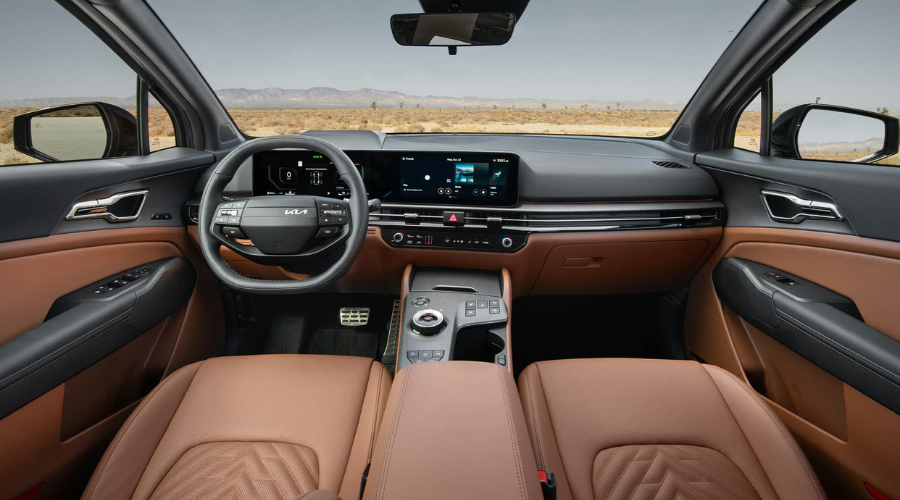
A Local Commuter’s Guide to 2026 Kia Sportage Technology Across Waukegan and Lake County, IL
Sitting in stop-and-go traffic on I-94 after a long workday can quickly wear on your patience. Having your cabin controls tailored to your exact preferences turns that tedious drive into a calm, effortless journey. This 2026 Kia Sportage Tech setup guide walks you through setting up your Highway Driving Assist, tailoring your displays, and fine-tuning safety alerts for stress-free travel across Waukegan, IL, and beyond.
Navigating busy intersections near the Gurnee Mills shopping corridors requires your full attention. When the digital displays and driver assistance features in your 2026 Kia Sportage are calibrated to your personal habits, you spend less time tapping screens and more time enjoying the road.
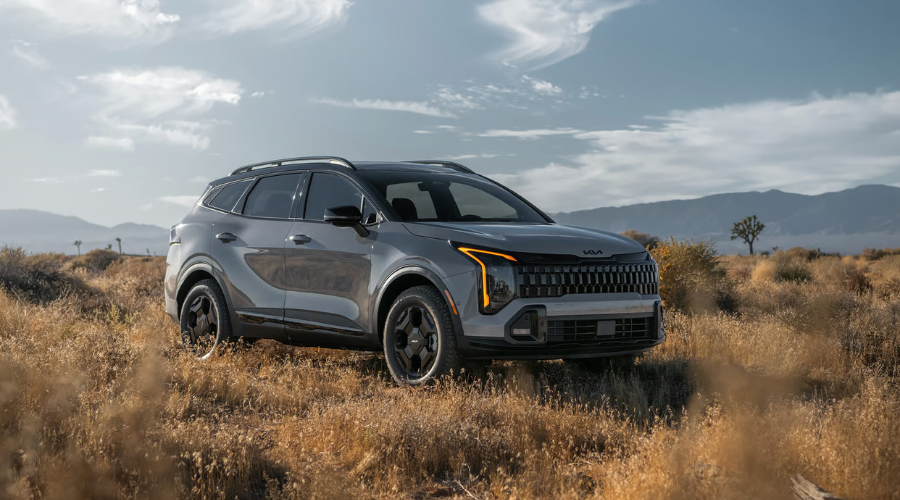
How 2026 Kia Sportage Technology Calms Heavy Commutes on I-94 in Waukegan, IL
Merging into morning rush hour traffic near Route 120 often feels like a test of nerves. Modern driver-assist features are designed to lighten that daily burden, but only if you know how to engage them quickly from the steering wheel.
Understanding how your steering wheel controls operate allows you to activate assistance features without taking your eyes off the road. A few simple button presses before you pull out of your driveway make all the difference on busy Lake County highways.
How to Turn On 2026 Kia Sportage Highway Driving Assist for Smooth Highway Merges
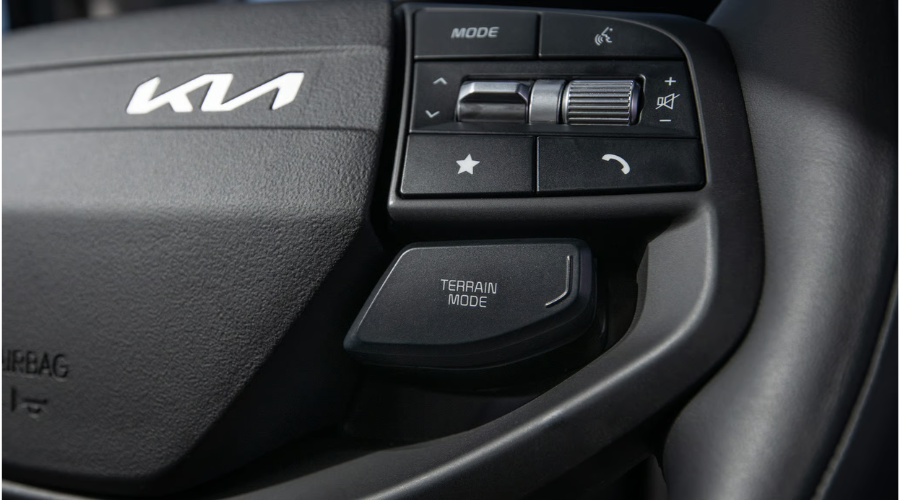
Glancing down at your dashboard during a hectic merge creates unnecessary stress. To activate system guidance, look for the Driving Assist button located on the right side of your steering wheel spokes.
Pressing this button once arms the system, illuminating a green steering wheel icon on your digital instrument cluster. Once activated, the system gently assists with steering inputs to keep your vehicle centered inside marked lanes while cruising down I-94.
2026 Kia Sportage Steering Wheel Controls:
- Driving Assist Button: Toggles lane guidance on or off easily.
- Vehicle Distance Button: Sets gaps with four selectable distance bars.
- OK Toggle Switch: Adjusts cruise speed up or down effortlessly.
- Lane Following Assist: Keeps vehicle centered inside marked lanes.
At Classic Kia, our local team is dedicated to helping Lake County drivers feel confident and comfortable behind the wheel of every vehicle we sell. We currently have the new 2026 Kia Sportage in our new inventory and ready for you to explore firsthand. If you want to experience these high-tech features in person or test them out on local roads, feel free to contact our team today or schedule your personal test drive.
Setting Cruise Distance and Lane Centering for Frustration-Free Traffic on Route 41
Creeping through heavy construction zones on Route 41 requires smooth throttle adjustments and constant distance monitoring. By setting your follow distance to three or four bars, your vehicle maintains a generous, safe cushion behind the car ahead.
If a vehicle abruptly merges into your lane, the system smoothly slows your speed to preserve your chosen gap. You can relax your legs knowing your crossover is actively helping you manage unpredictable traffic patterns near Libertyville.
Feature Name |
Primary Steering Control |
Instrument Cluster Indicator |
Recommended Commuter Setting |
|---|---|---|---|
Highway Driving Assist (HDA) | Mode/Assist Button (Right Spoke) | Green Steering Wheel Symbol | Active on Highways (I-94 / Rt 41) |
Adaptive Cruise Control | Distance Toggle Switch | Vehicle Icon with Distance Bars | 3 to 4 Bars for Heavy Traffic |
Lane Following Assist | Steering Wheel Icon Button | Green Lane Line Graphics | Enabled for All Commutes |
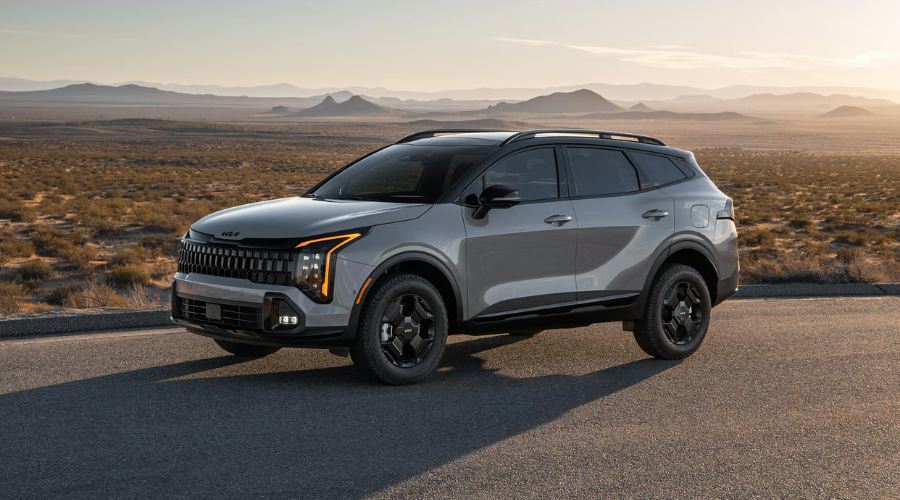
Customizing 2026 Kia Sportage Screen Setup Guide Features for Grayslake and Libertyville Drivers
Climbing into a cold vehicle on a chilly autumn morning should feel welcoming and personalized. Setting up distinct custom settings ensures your instrument cluster, audio presets, and navigation layouts match your personal driving style immediately.
Sharing a vehicle with another family member often leads to constant readjustments of touchscreens and settings. Saved user profiles eliminate that hassle entirely by locking in your preferences with a single tap.
Configuring Kia Panoramic Display User Profile Settings for Quick Morning Starts
Starting your morning routine near Grayslake should be seamless and quick. Tap the Setup icon on your right-hand center touchscreen, then select User Profile to begin configuring your personal profile.
You can create named driver profiles, link your smartphone, and select custom display themes that match your aesthetic preferences. Every time you unlock the vehicle, your saved climate layouts, audio favorites, and cluster displays load automatically.
Kia Panoramic Display Profile Setup Options:
- Profile Selection: Choose Profile 1, 2, or Guest at startup.
- Display Layouts: Customize brightness, themes, and screen widgets.
- Audio Presets: Save favorite radio stations and streaming feeds.
- Climate Memory: Auto-loads preferred cabin temp profiles.
Connecting Wireless Apple CarPlay and Android Auto Shortcuts for Route 120 Navigation
Reaching for cord adapters while backing out of your driveway delays your morning commute. The dual 12.3-inch panoramic display offers effortless smartphone integration that pairs automatically as soon as you sit down.
Navigate to Setup > Device Connections on your display screen to pair your phone via Bluetooth for wireless connection. Assigning your custom star button on the dashboard to trigger Apple CarPlay or Android Auto gives you instant access to your live traffic maps along Route 120.
Adjusting 2026 Kia Sportage Safety Settings to Reduce Commuter Fatigue in Gurnee, IL
Walking out to a noisy parking lot near Gurnee Grand Avenue can feel overwhelming. Loud, persistent safety chimes can startle you rather than help you navigate tight parking spaces safely.
Customizing your audio notifications lets you stay fully informed without dealing with jarring or overly aggressive chime volumes. You retain complete control over how and when your vehicle alerts you to potential hazards.
How to Set Up Kia Sportage Driver Assistance and Forward Collision-Avoidance Sensitivity
Driving past bustling shopping centers near Antioch requires prompt, subtle warnings for sudden stops. Access your safety settings by tapping Setup > Vehicle > Driver Assistance on the center panoramic display screen.
Under the Forward Safety menu, you can select between Active Assist, Warning Only, or Off. Choosing Active Assist provides both visual indicators and subtle automatic braking intervention if a pedestrian or vehicle stops abruptly ahead of you.
Kia Sportage Active Safety Features Setup:
- Forward Collision-Avoidance: Prevents frontal impacts automatically.
- Blind-Spot Collision-Avoidance: Offers subtle steering nudges.
- Rear Cross-Traffic Alert: Scans perpendicular driveway traffic.
- Warning Sensitivity: Chooses timing for visual safety prompts.
Kia Sportage Change Lane Keeping Assist Chime Volume for Quiet Local Drives Near Antioch
Hearing constant loud beeps every time you drift near a painted line can turn a peaceful drive into a frustrating experience. You can easily adjust chime levels to keep notifications pleasant yet noticeable.
In the Driver Assistance menu, scroll to Warning Volume and select Medium or Low. This allows your Kia Sportage change lane keeping assist chime volume to remain audible to you without disturbing sleeping passengers in the back seat.
Safety System |
Menu Path |
Adjustment Options |
Recommended Local Setting |
|---|---|---|---|
Forward Safety (FCA) | Setup > Vehicle > Driver Assistance | Active Assist / Warning Only / Off | Active Assist |
Blind-Spot Safety (BCA) | Setup > Vehicle > Driver Assistance | Active Assist / Warning Only / Off | Active Assist |
Warning Volume / Chimes | Setup > Vehicle > Driver Assistance | High / Medium / Low | Medium or Low |
Protecting Your Driver Assist System with Kia Sportage Radar Sensor Maintenance in Zion, IL
Cruising along coastal roads near Lake Michigan exposes your front grille to heavy insect splatter, dust, and grime during warm summer months. When dirt covers your radar units, your safety systems may temporarily disable or trigger false warnings.
Taking care of these delicate hardware components requires minimal effort and guarantees your driver-assist tech performs flawlessly year-round. A soft cloth and mild soap are all you need to keep your front sensors crystal clear.
Simple Bumper and Windshield Cleaning Tips for Lake County Summer Bug Spatters
Spotting an unexpected dashboard warning light in Zion, IL, often means a sensor face is simply blocked by road dirt. The primary radar sensor sits behind the center Kia emblem on your front bumper, while the lane-tracking camera rests behind the top of your front windshield glass.
Wiping these areas gently with a damp microfiber cloth removes stubborn bugs and mud without scratching the sensor housings. Avoid using harsh chemical solvents or abrasive pads that could fog or scratch the clear protective covers.
Kia Sportage Radar Cleaning Guidelines:
- Front Bumper Radar: Keep central Kia emblem free of heavy mud.
- Windshield Camera Housing: Ensure wiper blades clear top glass area.
- Ultrasonic Parking Sensors: Wipe small bumper circles gently.
- Microfiber Towels: Use soft damp cloths to avoid surface scratches.
Classic Kia Service Department Camera Calibration and Local Service Specials
Replacing a cracked windshield or experiencing a minor bumper bump can throw delicate camera angles out of alignment by fractions of a degree. Precise recalibration requires specialized diagnostic tools and factory-trained technical expertise.
If you are searching for a reliable Kia dealer near Waukegan, IL, or need specialized Kia service center Libertyville, IL, support, our team is here to help. The Classic Kia service department camera calibration center utilizes precision alignment tools to reset your radar sensors to factory specifications.
Drivers looking for routine Kia Sportage radar sensor maintenance or software updates can conveniently schedule an appointment online. Be sure to check our current service specials for discounts on camera alignments, multi-point inspections, and seasonal maintenance packages.
2026 Kia Sportage Vs. Honda CR-V & Hyundai Tucson
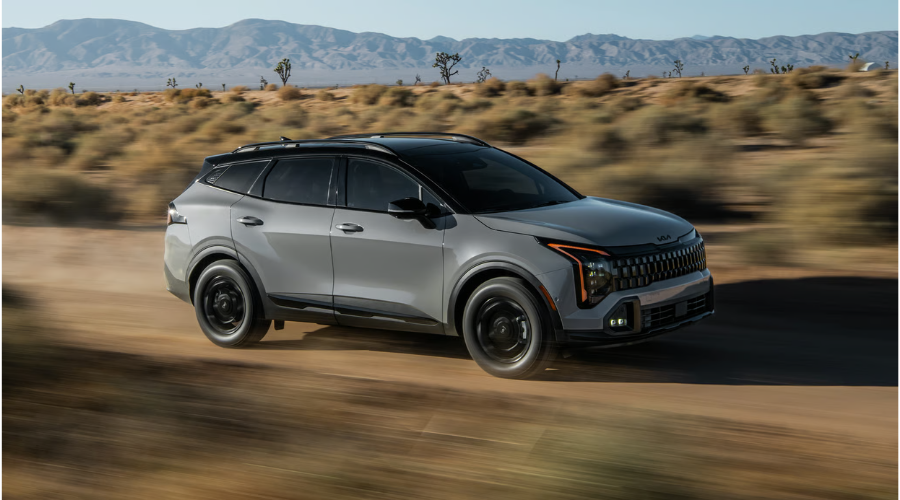
Comparing top compact crossovers helps buyers make informed decisions before visiting the showroom. The 2026 Kia Sportage offers standard technology features that elevate daily commuting in Lake County.
Feature |
2026 Kia Sportage |
Honda CR-V |
Hyundai Tucson |
|---|---|---|---|
Display Screens | Dual 12.3-inch Panoramic Display | Standard 7-inch / Available 9-inch | Dual 12.3-inch Panoramic Display |
Powertrain Warranty | 10-Year / 100,000-Mile Limited | 5-Year / 60,000-Mile Limited | 10-Year / 100,000-Mile Limited |
Highway Driving Assist | Highway Driving Assist Available | Honda Sensing Standard | Highway Driving Assist Available |
Smartphone Link | Wireless Apple CarPlay & Android Auto | Wired Standard / Wireless Top Trims | Wireless Apple CarPlay & Android Auto |
Need Help Setting Up Your Tech? Visit Classic Kia Today
If you would like hands-on help customizing your driver profiles or adjusting your safety chimes, our friendly technology specialists are ready to assist. Visit Classic Kia near Grayslake, IL, or contact our service department to make sure your crossover is perfectly tailored for your next commute across Lake County!
2026 Kia Sportage FAQ: Frequently Asked Questions
FAQ: 2026 Kia Sportage Technology and Highway Driving
Q: How do I turn on Highway Driving Assist in the 2026 Kia Sportage?
A: Press the Driving Assist button located on the right side of your steering wheel spokes.
A green steering wheel icon will illuminate on your instrument cluster to confirm system activation.
Q: How do I customize user profiles on the Kia Panoramic Display?
A: Tap Setup on the center touchscreen, select User Profile, and choose Profile 1, Profile 2, or Guest.
This allows you to store personalized climate layouts, audio favorites, and instrument cluster themes.
Q: How do I pair wireless Apple CarPlay or Android Auto in the Sportage?
A: Go to Setup > Device Connections on the center screen and pair your phone via Bluetooth.
You can also assign your custom star button on the dashboard for instant access to live maps along Route 120.
Q: What safety, technology, or performance features make the 2026 Kia Sportage stand out?
A: The 2026 Kia Sportage stands out with dual 12.3-inch panoramic displays, Highway Driving Assist, and advanced Forward Collision-Avoidance systems.
It provides Lake County commuters with custom driver profiles and quiet safety notifications.
FAQ: 2026 Kia Sportage Safety Alerts and Sensor Maintenance
Q: How do I adjust Forward Collision-Avoidance sensitivity?
A: Navigate to Setup > Vehicle > Driver Assistance on your center display screen.
Under Forward Safety, select Active Assist, Warning Only, or Off based on your driving preference.
Q: How do I turn down the lane keeping assist chime volume?
A: Access Setup > Vehicle > Driver Assistance, scroll to Warning Volume, and select Medium or Low.
This keeps alert chimes audible to the driver without disrupting other passengers in the cabin.
Q: Where are the radar sensors located on the 2026 Kia Sportage?
A: The primary radar unit sits behind the center Kia emblem on the front bumper.
Additionally, the lane-tracking camera is mounted at the top of the front windshield behind the rear-view mirror.
Q: How should I clean the front radar sensor after highway driving?
A: Wipe the emblem and windshield area gently using a soft damp microfiber cloth with mild soap.
Avoid harsh chemical solvents or abrasive scrubbers that could scratch protective sensor lenses.
Q: Do you offer service or maintenance for Sportage models around the Waukegan, IL area?
A: Yes, the Classic Kia service department provides full routine maintenance, radar sensor alignment, and camera calibration.
Drivers can easily schedule service online and browse current maintenance specials.
FAQ: 2026 Kia Sportage Pricing, Financing, and Vehicle Comparison
Q: How do I schedule a test drive for a 2026 Kia Sportage near Waukegan, IL?
A: You can schedule a test drive online through the Classic Kia website or by visiting our dealership directly in Waukegan, IL.
Our team will prepare your preferred trim level for a local road test.
Q: Do you offer financing or leasing options for 2026 Kia Sportage vehicles near Waukegan, IL?
A: Yes, Classic Kia offers flexible auto financing options and lease specials for Waukegan and Lake County drivers.
You can apply for online pre-approval to streamline your vehicle purchase.
Q: How does the 2026 Kia Sportage compare to its closest competitors, like Honda CR-V and Hyundai Tucson?
A: The 2026 Kia Sportage offers standard panoramic displays, complete user profile customization, and competitive safety suites.
It also includes Kia’s 10-Year/100,000-Mile Limited Powertrain Warranty for long-term peace of mind.
![[Facebook]](https://www.classickiaonline.com/blogs/294/wp-content/plugins/bookmarkify/facebook.png)
![[LinkedIn]](https://www.classickiaonline.com/blogs/294/wp-content/plugins/bookmarkify/linkedin.png)
![[Twitter]](https://www.classickiaonline.com/blogs/294/wp-content/plugins/bookmarkify/twitter.png)
![[Yahoo!]](https://www.classickiaonline.com/blogs/294/wp-content/plugins/bookmarkify/yahoo.png)
![[Email]](https://www.classickiaonline.com/blogs/294/wp-content/plugins/bookmarkify/email.png)
Connect with us


- 2026 Kia Sportage Tech Setup Guide: Master Your Cabin Controls and Safety Tech on Lake County Commutes
- Upgrade Your Drive: Discover the 2026 Kia Carnival and K4 in Waukegan
- 2026 Kia Sportage Capability Guide: Debunking Compact Crossover All-Wheel Drive Myths in Waukegan, IL
- 2027 Kia Seltos Arrives at Classic Kia
- 2026 Kia Sorento Sizing Guide: Three-Row Family Versatility in Waukegan, IL
Recent Posts
 Warranties include 10-year/100,000-mile powertrain and 5-year/60,000-mile basic. All warranties and roadside assistance are limited. See retailer for warranty details.